
Showing posts with label How Can I Open My PSP Console. Show all posts
Showing posts with label How Can I Open My PSP Console. Show all posts
Sunday, February 13, 2011


Wednesday, September 15, 2010
Saturday, May 08, 2010
How To Open A PSP (2000 series)
This is based on opening up a 2000 series PlayStation Portable.
Much is the same as opening a 1000 series PlayStation Portable, there are still seven screws you need to remove although not in the same positions as the forementioned 1000 series.
There are only two screws in the battery compartment, pictured below
Much is the same as opening a 1000 series PlayStation Portable, there are still seven screws you need to remove although not in the same positions as the forementioned 1000 series.
There are only two screws in the battery compartment, pictured below

There are a further two screws at the top of the console

One on the bottom
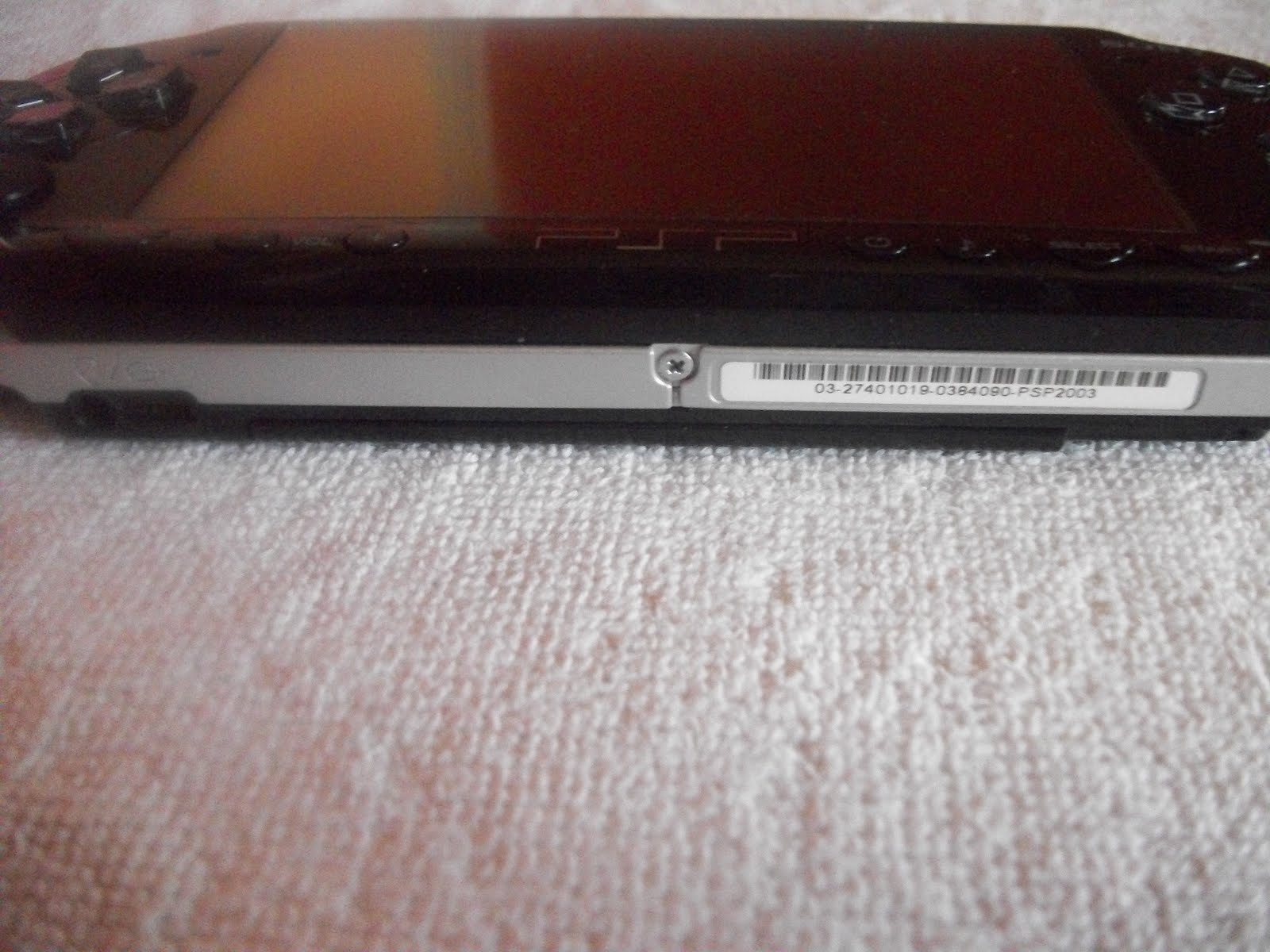
and lastly two more on the other side of the UMD door.

So there are the seven screws, again the only tool you need to remove these screws is a Phillips 000 screwdriver. Once you have removed the above screws you can remove the front faceplate and then continue to do whichever repair is required, of these I intend to go through in more detail in future posts.
Sunday, May 02, 2010
What Tools Do You Need To Open Up A Sony PlayStation Portable
There are not a great deal of tools you need in truth, but they do have to be the right tools. When opening a PSP I use for every single screw a Phillips 000 screwdriver. Another tool I use is a small flat headed screwdriver, this has to have a real thin head as this enables to you to gently prise out the LCD screen and open up the various connector clips etc.
You have to spend a bit of money on getting the right screwdrivers, you need to be wary of sets that are too cheap. When first starting out I purchased a PSP opening kit off EBay for about £1.99 and I ended up stripping screws, unable then to get them out. Not a good start when you cannot even open up the console. Now there are ways of removing stripped screws but you can risk further damaging your PSP.
So the Phillips 000 and the small Flathead screwdrivers are generally the only tools I use, but there other items that come in handy, such as
a can of compressed air (good for getting dust of the screen and for cleaning a UMD drive unit)
a cleaning cloth (you can purchase these off EBay for low prices, this enables you to wipe your front faceplate screen without scratching or marking it)
and
sellotape (this is just so you can keep your screws together and remember where they came from. The PSP has various screws and all have a specific place, the last thing you want do is loose some or forget where they go)
In general there is not a great deal you need, just take your time and you too can open up a PSP.
You have to spend a bit of money on getting the right screwdrivers, you need to be wary of sets that are too cheap. When first starting out I purchased a PSP opening kit off EBay for about £1.99 and I ended up stripping screws, unable then to get them out. Not a good start when you cannot even open up the console. Now there are ways of removing stripped screws but you can risk further damaging your PSP.
So the Phillips 000 and the small Flathead screwdrivers are generally the only tools I use, but there other items that come in handy, such as
a can of compressed air (good for getting dust of the screen and for cleaning a UMD drive unit)
a cleaning cloth (you can purchase these off EBay for low prices, this enables you to wipe your front faceplate screen without scratching or marking it)
and
sellotape (this is just so you can keep your screws together and remember where they came from. The PSP has various screws and all have a specific place, the last thing you want do is loose some or forget where they go)
In general there is not a great deal you need, just take your time and you too can open up a PSP.
Saturday, May 01, 2010
How To Open a PlayStation Portable (1000 series)

This post is based on opening up an original PSP console (1000 series)
There are seven screws that will need to be un-done for you to open up your Sony PlayStation Portable device. First of all put your console screen side down on a soft and clean surface as pictured to the left (to avoid scratches to the faceplate screen)and also ensure there is no memory stick or UMD in your device before starting.
There are four screws in the battery compartment, you will need to remove the battery cover and of course the battery, once completed you will see two of the four screws. You then need to remove the warranty sticker which is generally the smaller of the two stickers that you find in the battery compartment. Underneath the warranty sticker you find the other two screws.
If your PSP is still under warranty then please do not remove the sticker, as it will make the warranty void. If you have an issue with your PlayStation Portable and it is under warranty then you can send it to Sony and they should sort the problem with no charge, send it back with the warranty sticker removed or tampered and they will charge you to have it fixed and I can imagine that would not be cheap.
There are another two screws on the other side of the UMD door, please note these two are generally the trickiest screws to remove as there are deeper within the back faceplate, you need to use a longer arm screwdriver or you risk damaging the back of your PSP.
The last screw is on the bottom of the console. Once you have removed all seven of this screws you can then gently remove the front faceplate, this will then reveal the actual LCD screen and power switch board etc.
It is important to keep all your screws organised so you know where each of them belong, otherwise your PSP will not go back together correctly.
Also try not to be to forceful when removing the screws, if you do the screw head will loose shape and you may not be able to get it out at all. This also applies when putting the screws back in.
Hope this has been of some help.
Subscribe to:
Posts (Atom)